Company & guides
See food sales, kitchen tickets and daily collections.
Explore real Vyanzo interface screenshots using clearly labelled sample restaurant data, with guides to Simple Counter, kitchen tickets and the payment ledger.
No card needed to request a workspace. Software, setup and optional hardware are quoted separately.
Follow an everyday service
A useful demonstration starts with the restaurant’s daily work: select food, review quantities, send cooking work, create a bill and record a checked collection. The screens below show parts of that workflow in the actual application. They use a local demonstration restaurant, not private records from a customer’s live branch.
Use the screen that fits the job
Simple Counter gives a solo operator or cashier a smaller selling route. The kitchen display focuses on item-wise KOTs and cooking status. The daily ledger gives authorised financial staff a view of recorded collections and refunds. Roles and restaurant settings determine which screens a person can use.
Check the configuration behind the screen
A menu category, kitchen route, branch assignment or payment method is more than a label. Configure it for the restaurant and test the result. Automatic payment confirmation requires an approved merchant integration, and physical receipt output requires a compatible print setup. A screenshot demonstrates the interface; it does not certify a bank connection or printer.
Bring your own scenario to a demo
Use a few real menu items and explain whether they are cooked to order, prepared in batches or handed out at a separate service counter. Include two plates of one dish and another dish to check item-wise tickets. Ask to see the bill and collection record, then confirm the plan and hardware scope with the team.
See the actual interface
These screens were captured from the application using a locally created sample restaurant. Menu items, orders and payment records are demonstration data. They are not customer testimonials, live customer activity or a promise of business results.
1.Sell food from Simple Counter
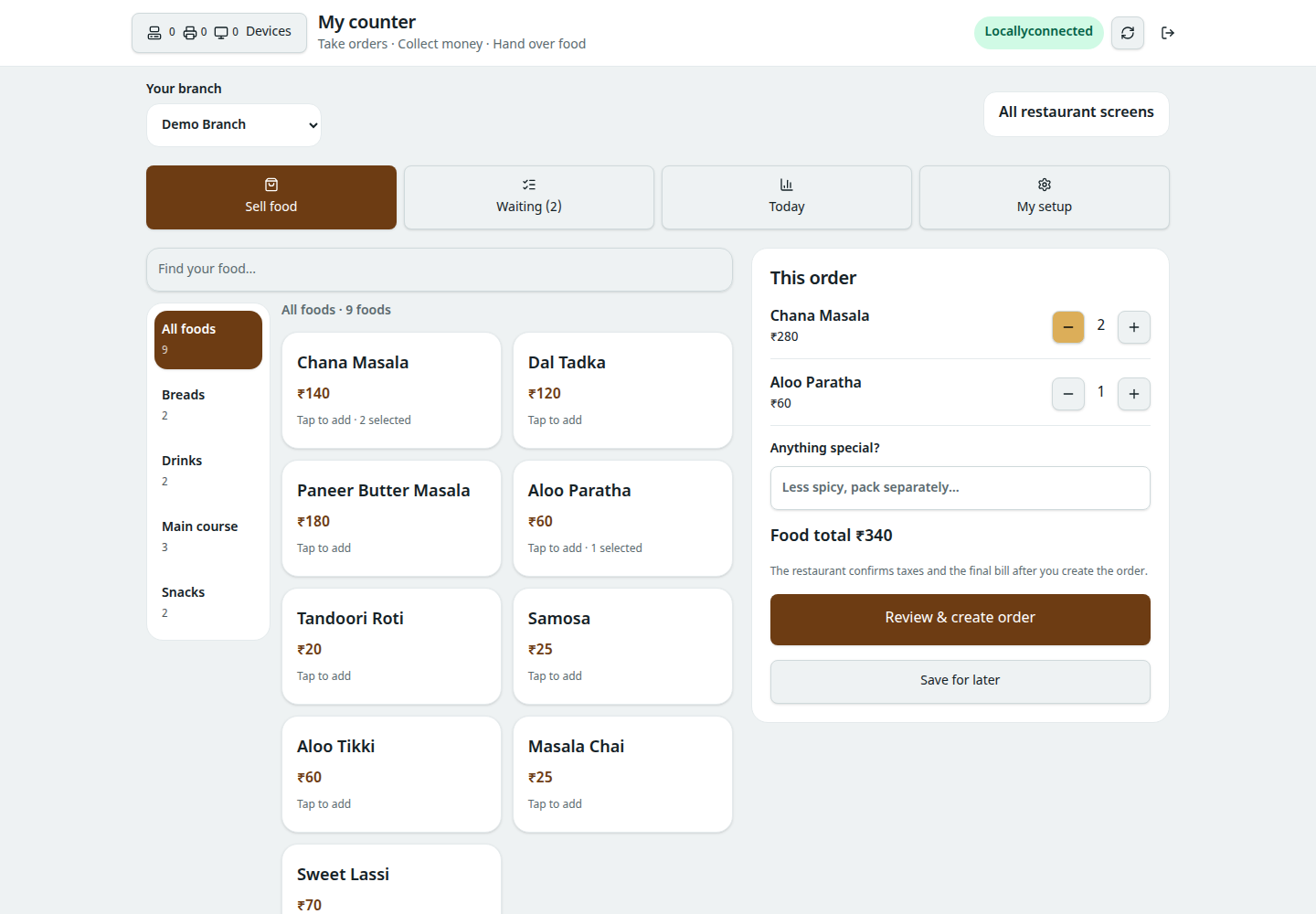
Find food by category, choose quantities and review the cart. The sample menu belongs to Vyanzo Demo Kitchen, a local demonstration restaurant.
Explore this workflow2.Follow item-wise kitchen tickets
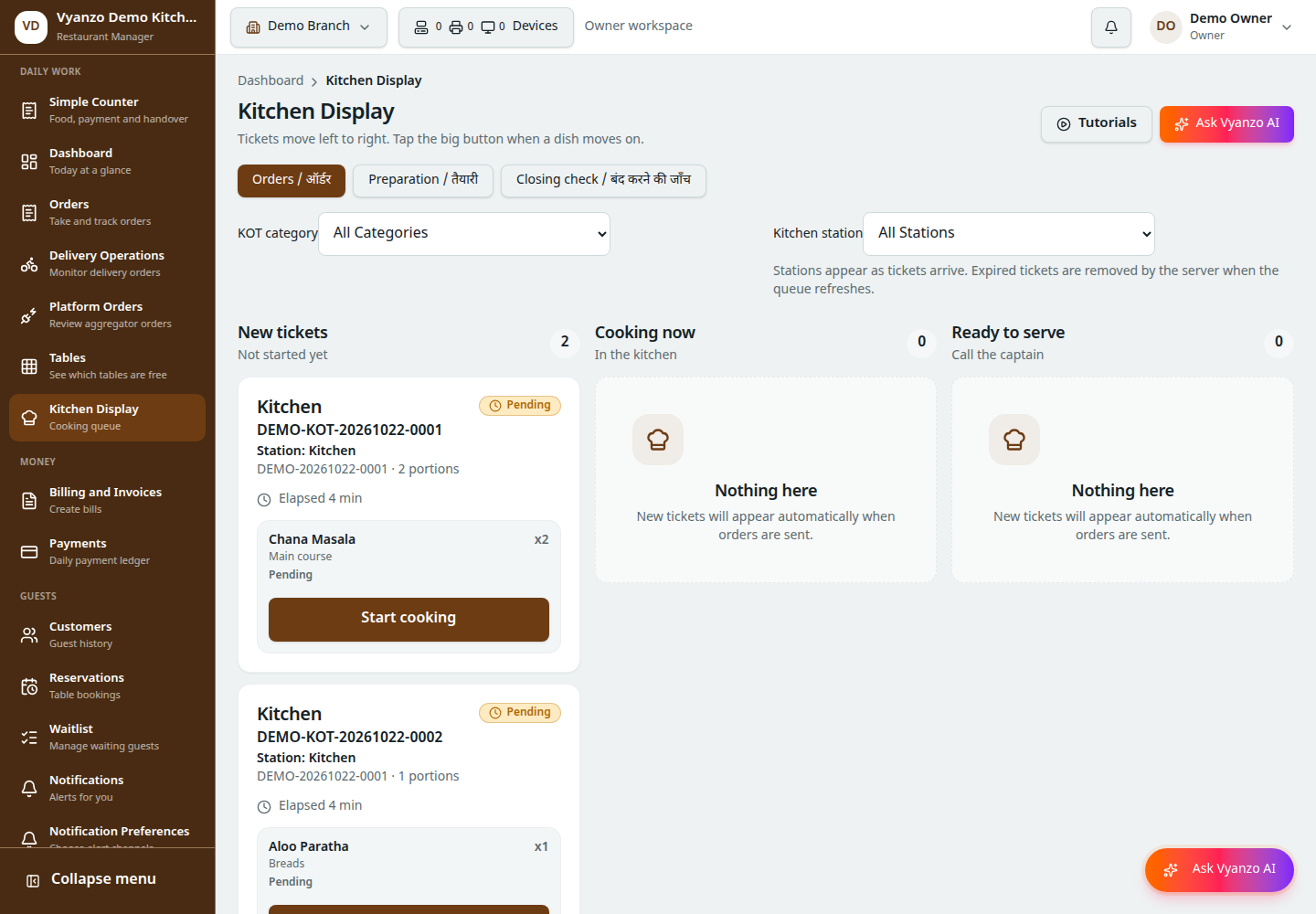
Kitchen work appears as item-wise KOTs. The demo order includes two plates of Chana Masala and an Aloo Paratha; they appear as distinct cooking tasks.
Explore this workflow3.Review recorded daily collections
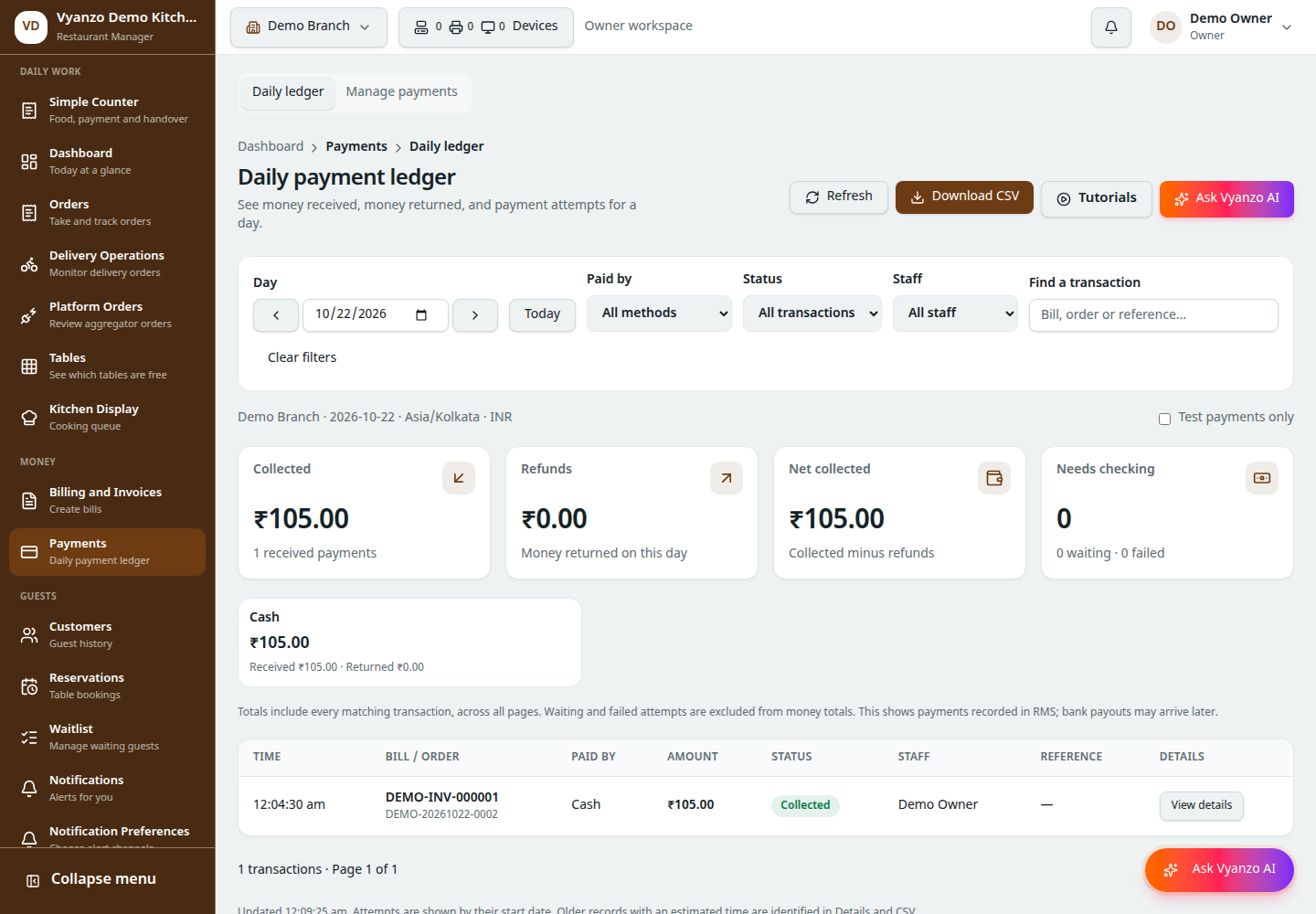
Review collections, refunds and net receipts for the selected branch. The example cash record was created locally using demonstration data; it is not a real customer payment.
Explore this workflowTap any screen to open its full-size image. Device layout and available options depend on the restaurant’s configuration, role and connected services.
Common questions
Are these mockups or application screenshots?
They are screenshots of the application running with locally created sample restaurant data. Captions explain what each screen demonstrates.
Can I open a screen at full size?
Yes. Tap or click a product screenshot to open its full-size image.
Can I request a demo for my own restaurant flow?
Call +91 72269 26550 with your menu, device and service requirements to discuss a demonstration and quote.
Keep exploring
Talk through your restaurant’s setup
Call +91 72269 26550. Bring your menu, expected devices and a typical order. We can discuss the workflow and quote the setup you need.
What to bring to a demo